Block distractions.
Stay in focus.
Start a focus session and the apps you choose stay blocked until the timer ends, even if you close ScreenPulse. Then build a daily streak, one completed session at a time.
Free to download · No account · No ads · No tracking
- Blocks hold with the app closed
- Lift when time's up
- Live Activity & widget
- Data stays on your iPhone
How ScreenPulse Works
Three steps between you and an hour of real focus. iOS does the blocking, so willpower isn't the only thing standing between you and the feed.
Pick what distracts you
Choose the apps, categories and websites to block. One block list is shared by every session, so you set it up once.
Start a session
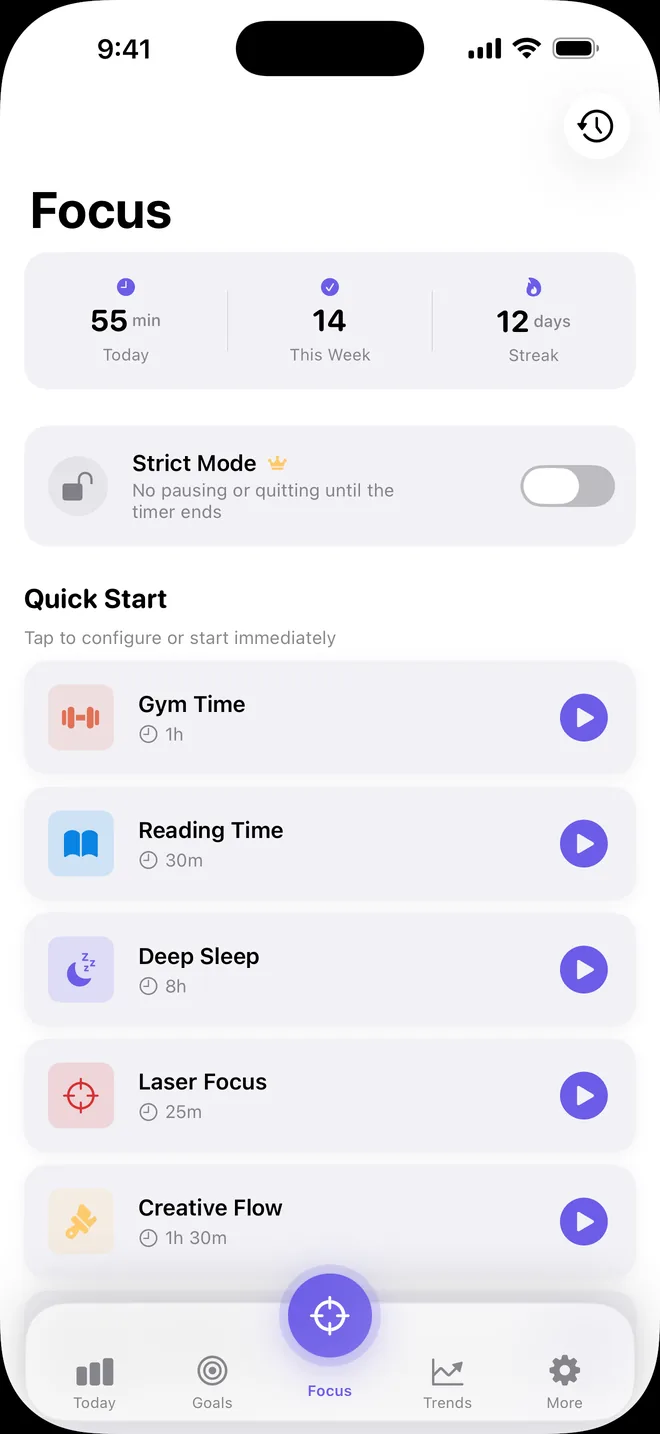
Tap one of 8 ready-made sessions, like Laser Focus, Reading Time or Deep Sleep. Keep its length or pick anything from 15 minutes to 2 hours.
Stay locked in
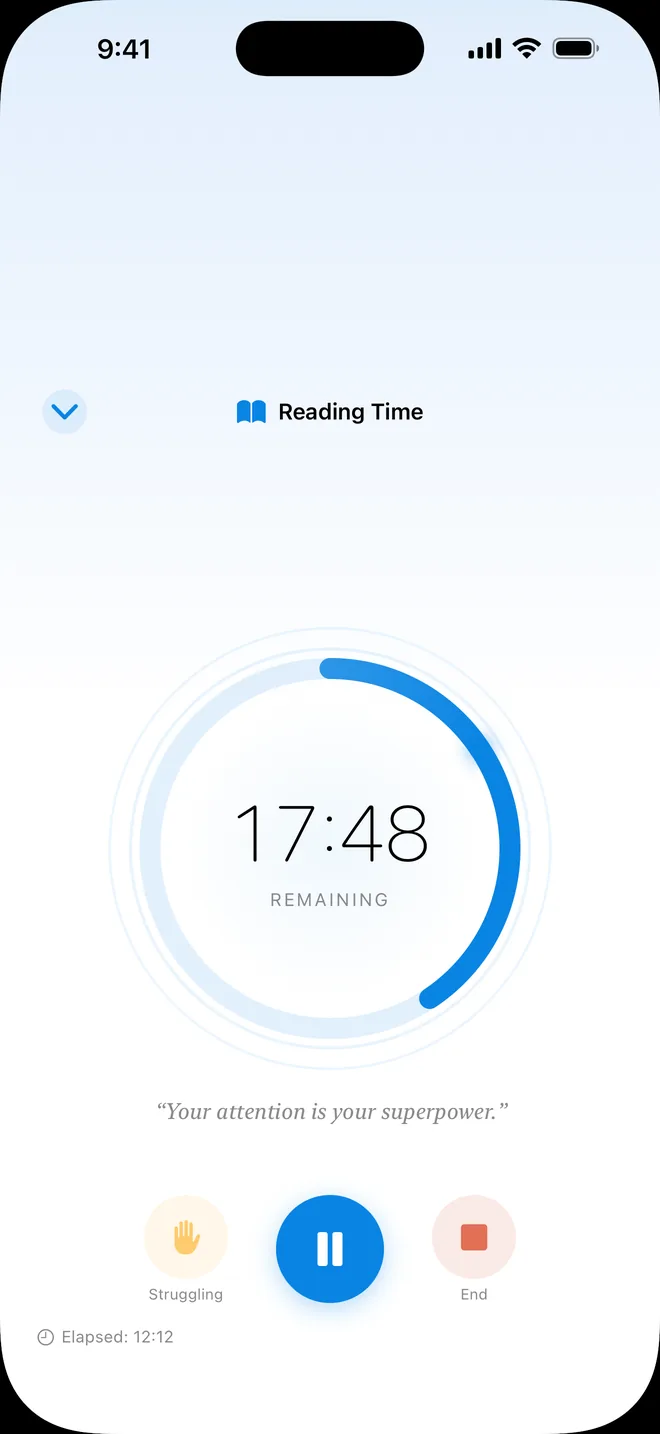
Blocked apps show the ScreenPulse shield system-wide until the timer ends. Then the blocks lift automatically, no need to reopen the app.
Everything You Need to Focus
Real app blocking, a habit you can see growing, and a countdown that follows you to the Lock Screen.
Real App Blocking
Block apps, whole categories and websites through Apple's Screen Time API. The block holds even when ScreenPulse is closed.
8 Ready-Made Sessions
Laser Focus, Work Mode, Reading Time, Creative Flow, Gym Time, Mindfulness, Digital Detox and Deep Sleep, ready to go.
The Struggling Button
Tempted to quit? One tap adds 5 more minutes and a motivation boost, so you push through instead of giving up.
Streaks & Daily Goal
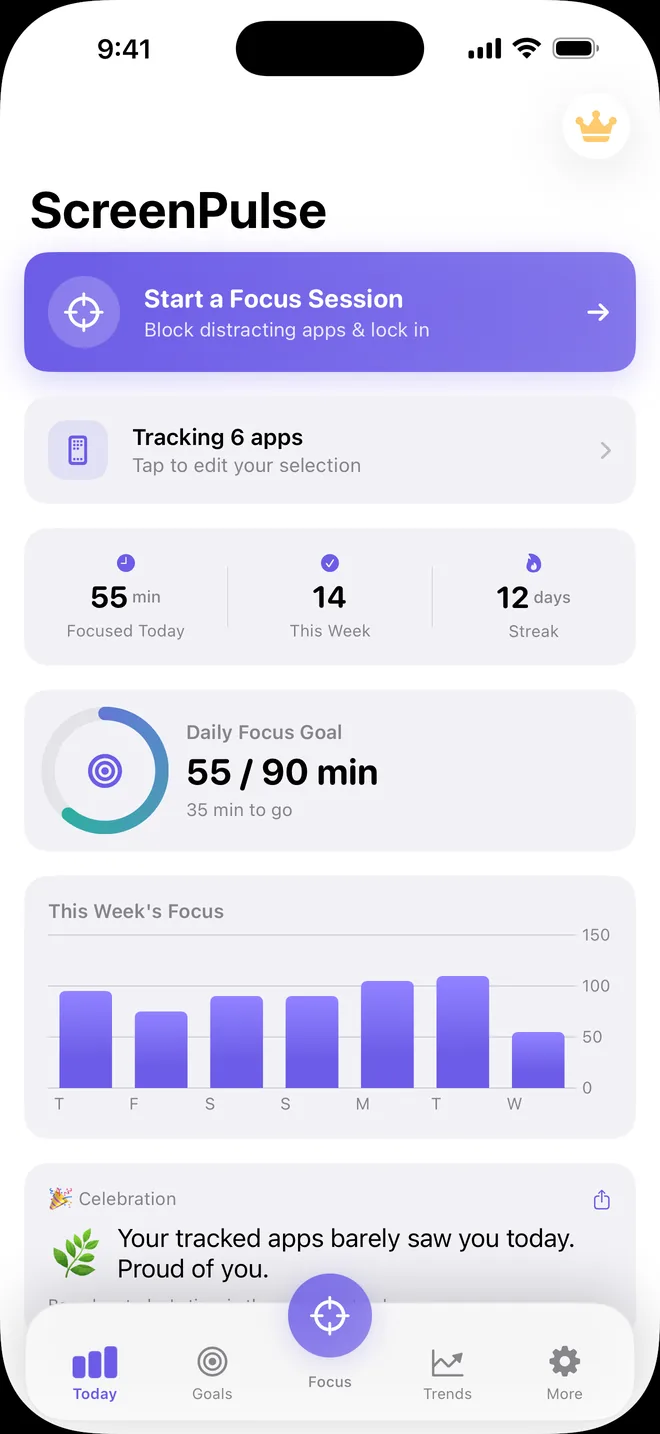
Count the days in a row with a completed session, and fill your daily focus goal ring one session at a time.
Live Activity
A live countdown on your Lock Screen and, on supported iPhones, in the Dynamic Island.
Home Screen Widget
Today's focus minutes, your streak and a live session timer at a glance, without opening the app.
Trends & History
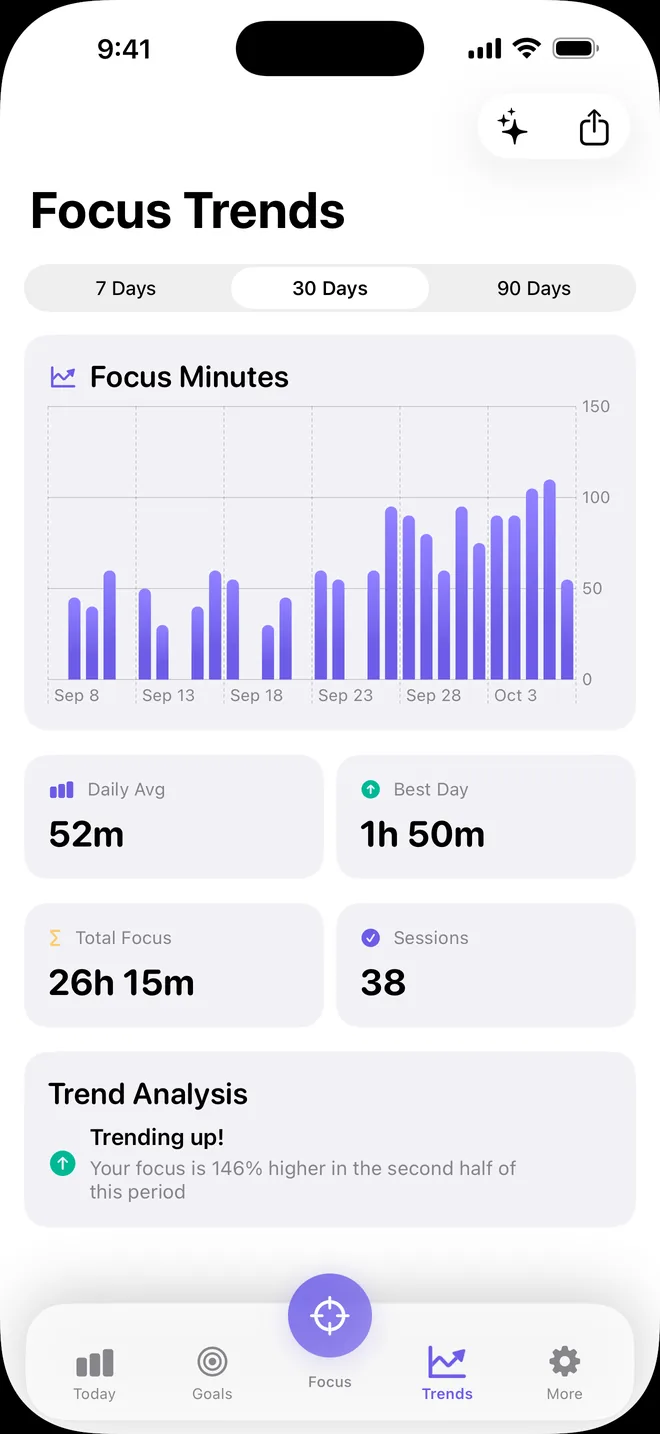
7-day focus trends and your session history, counted from the sessions you actually complete.
A Daily Roast
A light-hearted nudge based on the approximate time you spent in the apps you track.
Screen Time, View-Only
See Apple's Screen Time report for the apps you track. iOS draws it on your device; ScreenPulse never reads or stores the numbers.
See It in Action
A calm, simple app that gets out of your way, so the only thing left on your screen is the work.
Free to Focus. Premium to Commit.
Everything above is free. Premium adds the tools for when you really mean it.
Free
Block apps and build the habit.
- 8 ready-made focus sessions, 15 minutes to 2 hours
- Block apps, categories and websites
- Focus streak and daily goal
- 7-day trends and session history
- Live Activity and Home Screen widget
Premium
or $3.99 / month. Cancel anytime.
- Strict Mode: Pause and End stay locked until the timer runs out
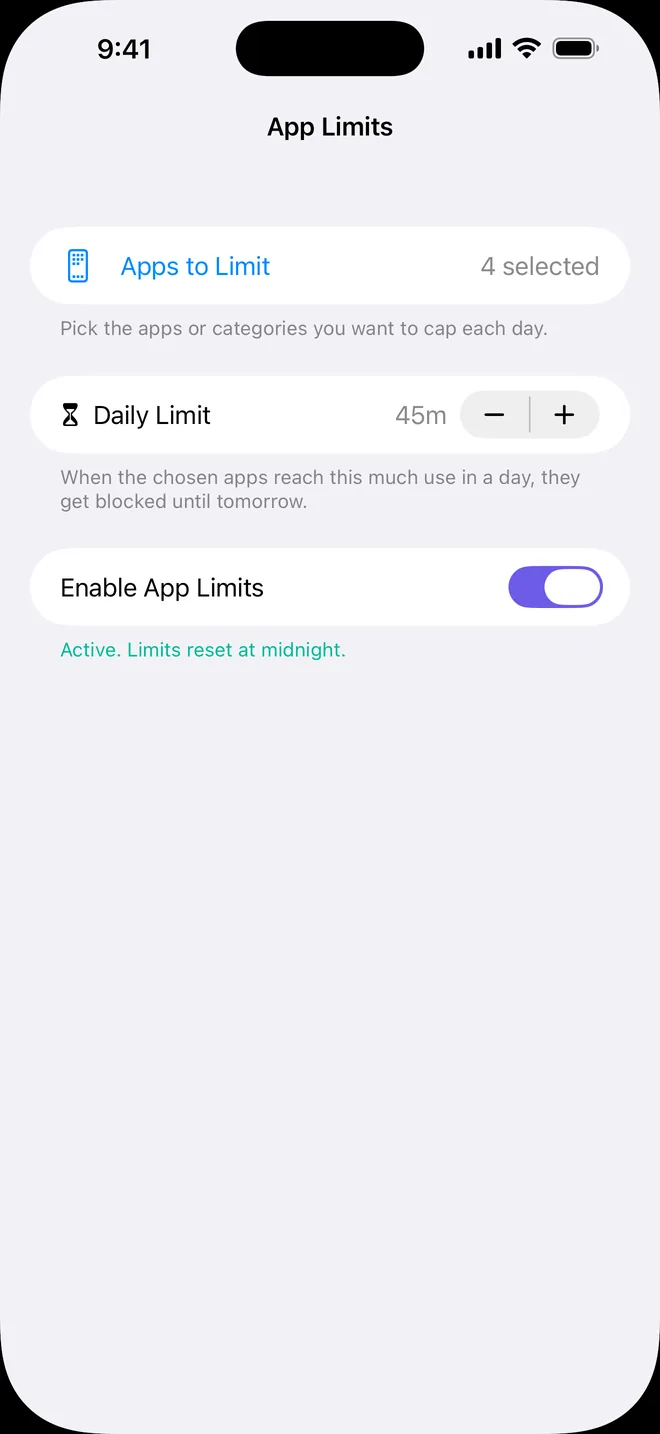
- App Limits: a daily cap that blocks apps until midnight
- Create your own sessions, 15 minutes to 8 hours
- Scheduled reminders to start a session
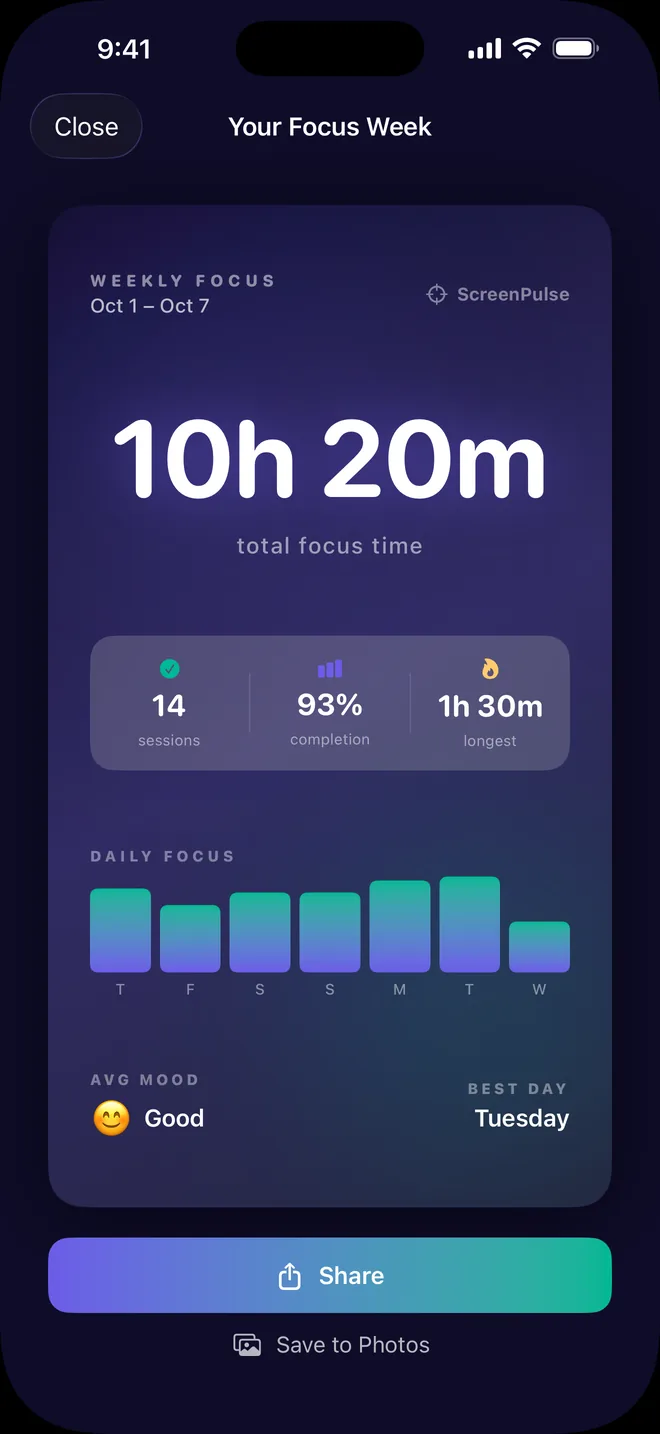
- 30- and 90-day trends and Weekly Wrapped
- Shareable weekly focus card and CSV export
U.S. prices. Your local price is shown in the app before you buy. The free trial is on the yearly plan, for eligible new subscribers. Subscriptions renew automatically unless cancelled at least 24 hours before the end of the current period; manage them in your Apple Account settings.
Your focus stays on your iPhone.
ScreenPulse has no account and no server. Your sessions, streak and goals are stored on your device and never sent to us. They leave your iPhone only if you choose to share or export them.
Read the Privacy Policy →- No accountOpen the app and start. Nothing to sign up for.
- No adsNothing competing for the attention you're protecting.
- No trackingNo analytics or tracking SDKs in the app.
- Private by designApple keeps app usage private, and so do we.
Frequently Asked Questions
Quick answers about blocking, privacy and Premium. More in Support.
Do blocks stay on if I close ScreenPulse?
Yes. iOS enforces the blocks through Screen Time, so they stay on until the session timer ends and then lift automatically, even if ScreenPulse is closed.
Can I end a session early?
Yes, tap End on the session screen. With Strict Mode (Premium), Pause and End stay locked until the timer runs out. The Struggling button still works, but it adds 5 minutes instead of ending the session.
Why doesn't ScreenPulse show per-app usage?
Apple keeps detailed app usage private. The Screen Time report inside ScreenPulse is drawn by iOS on your device, and ScreenPulse can't read or store its numbers. Your focus stats, streak and trends come from the sessions you complete.
What do I need to use it?
An iPhone running iOS 18 or later, with Screen Time turned on (Settings → Screen Time). ScreenPulse asks for Screen Time access the first time you open it.
Do I need an account?
No. There's no account and no server. Premium is tied to your Apple Account, so Restore Purchases brings it back after a reinstall.
How do I cancel Premium?
Go to Settings → [your name] → Subscriptions → ScreenPulse, at least 24 hours before the renewal date. Deleting the app does not cancel a subscription.
Ready to put your phone down?
Download ScreenPulse, pick the apps that pull you in, and start your first focus session.